

What role do Git & Github play in a student's life?
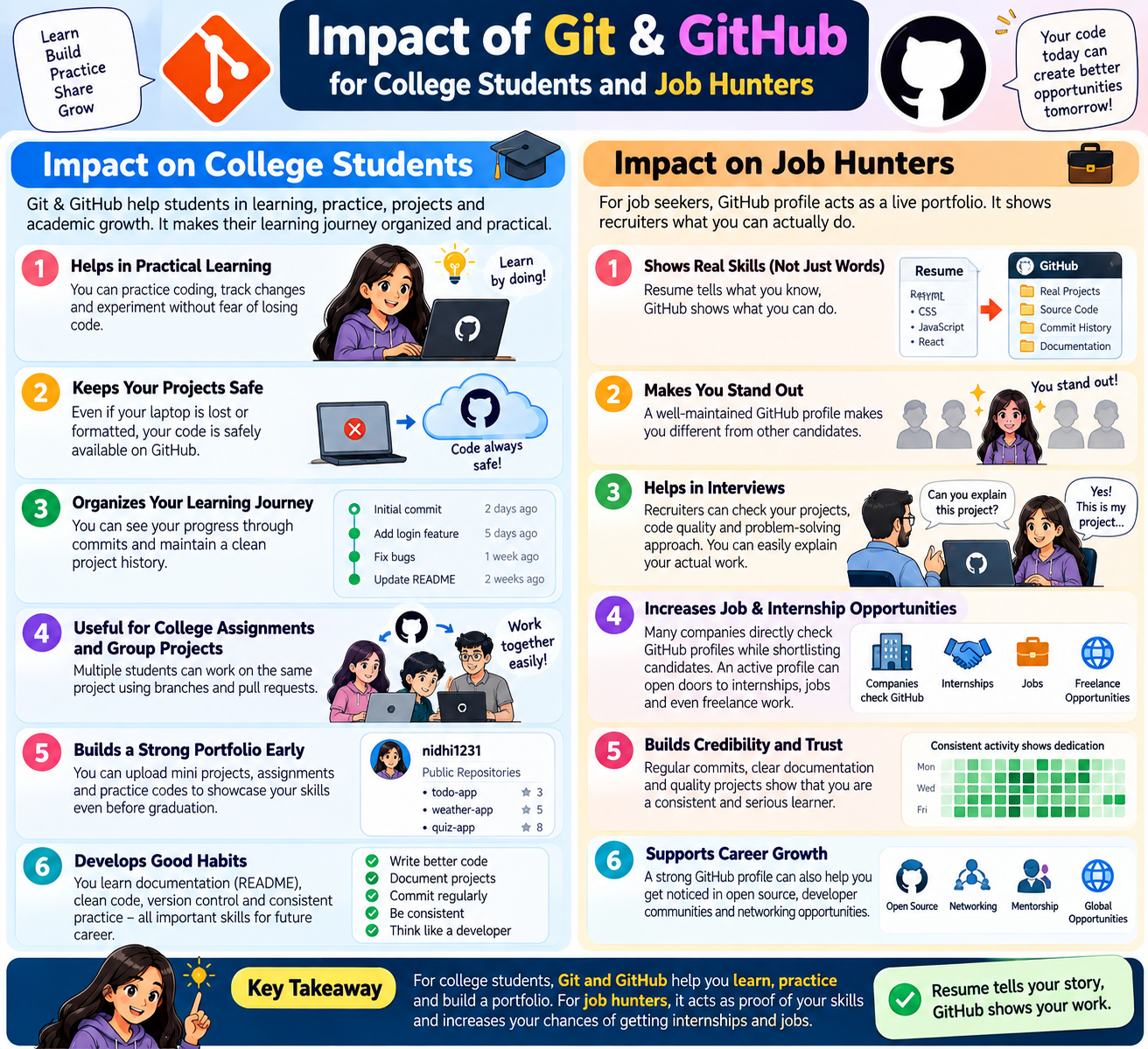
Organize Learnig:
- It organizes coding Learning(like-programming languages,frameworks).
If the students make projects in HTML,CSS,JS,Java then changes happen everyday.Git saves the history of every change.Therefore in case of any mistake, the oldversion can be broght back.
Building Portfolio - Helps in building portfolio:
Github works like on online portfolio.Recruiter or Mentors can understood your repositories.
They look at how many projects you have created and ho consistency you have worked on your projects. ##Teamwork teaches:
Multiple students work on the same project.
We get to see all this in college projects,hackathons and contribution programs like Google summer of code.
Github safely merges branches via pull requests.
This includes everything from finding and fixing bugs, add features in project.
Taking Git conflicts into account, pull request from branches are merged into the same project.
Useful for internship and jobs:
Every company expects a job seeker/job hunter to have basic knowledge of Git and git hub.
When recruiters and HR professionals see a Github profile on a job hunter's resume.
Your Github profile is easy to showcase your practical work.
If a Github profile lacks of projects or the link isn't included in the resume,the resume is easily
ignore and rejected.
What is Git ?
Git is a free open source and distributed version control It handles small projects and large projects with speed and efficency.
It helps track and manage changes in code over .
It allows multiple developer work on same projects and developer and students contribute projects and solve bug ,add feature in same project .
What is Git hub?
Github is a web-based platform that supports your enitre software development process. it helps from planning work to deploying and operating . It allows teams to collabrate on code , content and research in real time.
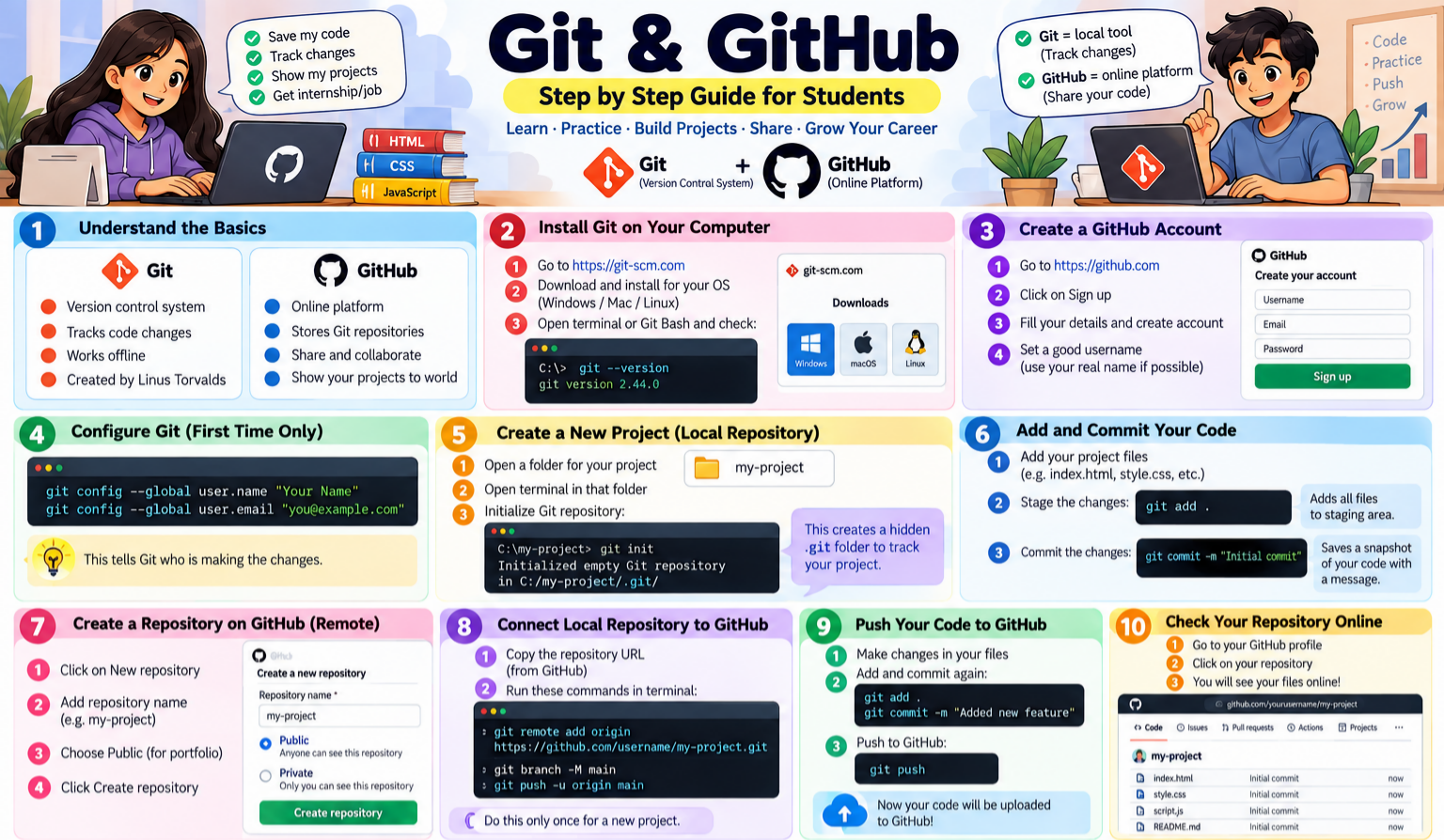
If you are beginner to start git follow this steps
first create new account in github click and create an account on https://github.com/ and you can watch this video: https://www.youtube.com/watch?v=BgZQ-w64dDk
create first repo watch youtube video: https://www.youtube.com/watch?v=-RZ03WHqkaY
you want to see this cheatsheet: https://git-scm.com/cheat-sheet
Git Basics commands
working directory -> (git init) ->Initalization->(git add)->staging area->(git commit)->local repository->(git push)->git hub
git init : we want to initalize our local project directory to make it a git repository.
git add : git add for specify file to add to staging area
git add. add all files
git commit : all files are tracked and ready in the staging area like checkpoint.
git commit -m
git log: it shows git history
git status: it shows git status files are tracked , untracked
git diff: it shows difference first commit and second commit.
Git collaburation:same project many people can contribute in projects ,find bugs, fix bugs add featuers to add value in project.
note : don't push code in master/main branch.main branch means you push your code in Production server.
git branch : you can create your branch from main
create a new branch : git branch <branch_name>
into a new branch: git checkout <branch_name>
you follow this steps for collaboration : 1st git repository fork 2nd create new folder and 3rd you go command prompt /terminal you type git clone link(copy link your fork repo and paste link) press enter
read this : https://git-scm.com/book/en/v2/Git-Branching-Basic-Branching-and-Merging
watch for details video:
